Terrainy — Hybrid Terrain Editor for Godot 4
A downloadable tool
🧱 What Is Terrainy?
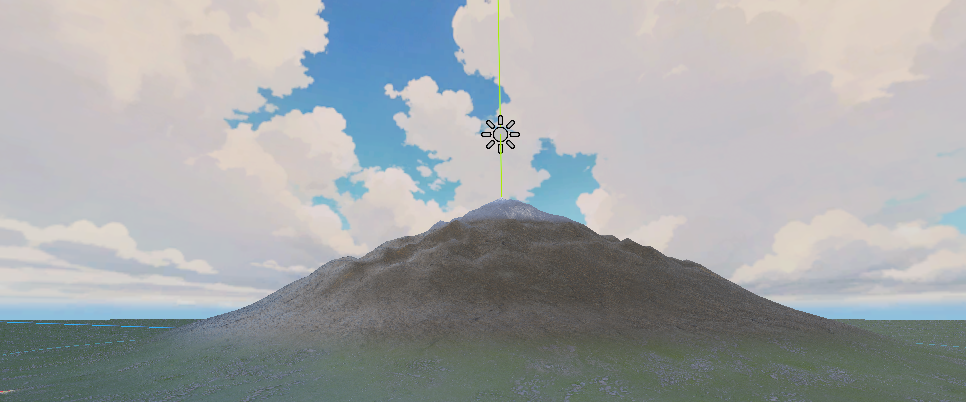
Terrainy is an intuitive terrain generation plugin for Godot 4 that gives you the power to sculpt complex landscapes directly in your editor — without painting heightmaps by hand. It blends node-based composition with spatial scene editing, so you can place, tweak, and preview terrain features in real time.
Whether you’re prototyping game worlds, building open environments, or assembling modular terrain systems — Terrainy speeds up your workflow with visual tools that just feel right.
✨ Key Features
🔹 Intuitive Spatial Workflow
- Place terrain features as nodes straight into your 3D viewport
- Move, rotate and scale using familiar Godot gizmos
- Live preview updates as you edit — instantly see your terrain evolve
🔹 Node-Based Terrain Composition
- Build landscapes using a hierarchical node structure
- Combine primitives, gradients, noise, and landscape shapes
🔹 Rich Feature Library
- Primitives: hills, mountains, volcanoes, islands
- Gradients: radial & linear, cones & hemispheres
- Landscapes: mountain ranges, canyons, dune seas
- Procedural Generators: Perlin noise, Voronoi patterns
🔹 Smart Modifiers & Controls
- Adjustable resolution and terrain size
- Auto-update toggle for performance-friendly editing
- Customizable terrain mesh with PBR-ready materials
🔹 Godot 4-Native
- Seamless integration with Godot’s editor
- Works with standard Godot nodes and workflows
🚀 Why Terrainy?
- Visual & interactive: terrain evolves as you edit — no waiting for rebuilds.
- Flexible: supports both formulaic procedural generation and artistic layout.
- Lightweight & accessible: perfect for hobby projects, prototypes, and learning Godot terrain fundamentals.
- Open source: completely free to use and extend under the MIT License.
🛠️ How to Use
- Clone or download the Terrainy plugin.
- Copy the addons/terrainy folder into your Godot project.
- Enable the plugin in Project Settings → Plugins.
- Add a TerrainComposer node to your scene.
- Add terrain feature nodes (e.g., hills, noise, landscapes).
- Adjust placement and parameters — terrain updates live.
📦 Requirements
- Godot 4.0+
- Basic familiarity with Godot’s 3D editor
🔗 Get Started
Source Code & Downloads: https://github.com/fabian-becker/Terrainy
License: MIT
Community & Feedback: Open GitHub Issues
Download
Click download now to get access to the following files:
Comments
Log in with itch.io to leave a comment.
0.5.1 doesnt work for me. Terrain composer node doesnt show up when I add it to a scene... reverted to 0.5.0 and everything works
Hey, if you could share some insights about your setup I can investigate. Which godot version are you using, which render mode is active, do you see any error logs?